Your own CSS & JS per sales channel — no theme forks, no hacks.
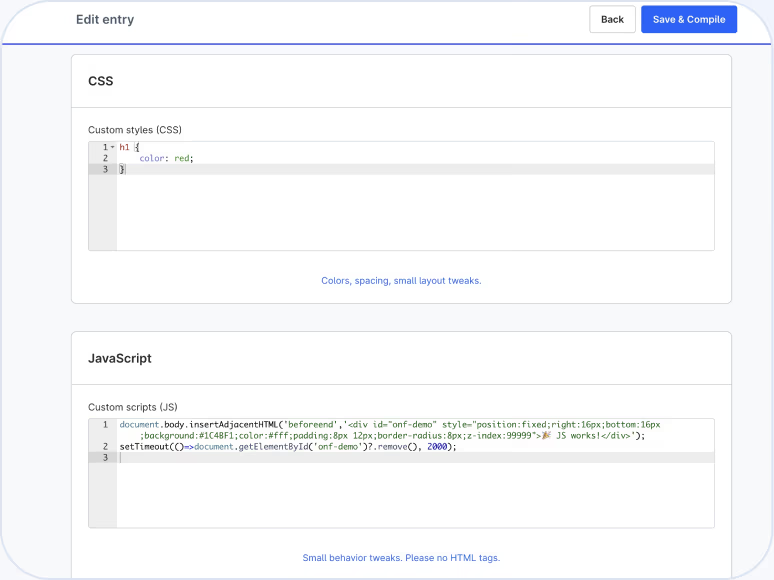
Set individual styling and scripts per sales channel — or globally across all channels. You save your code, it's automatically compiled and safely included. Ideal for UI tweaks, promo banners, tracking snippets or hotfixes — with no risk to your main theme.
Benefits
Why this plugin?
01
Fast go-live
Add CSS/JS, save, automatically compiled — done.
02
Granular control
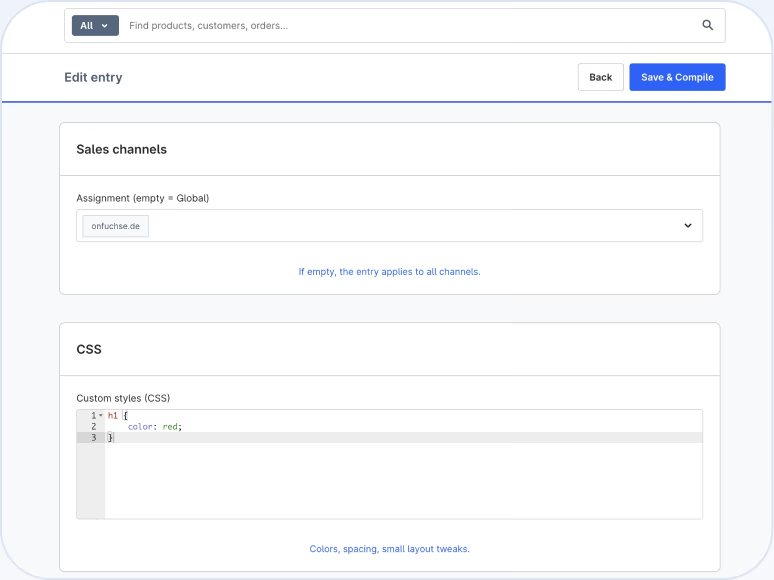
Use it globally or activate it precisely per sales channel.
03
Clean architecture
No theme forks, no core changes, no workarounds.
04
Maintenance-friendly
Customizations stay update-safe and cleanly separated from the theme.
05
Team-ready
Marketing, SEO and dev work independently — no release bottleneck.
Process
How it works.

01
Activate the plugin
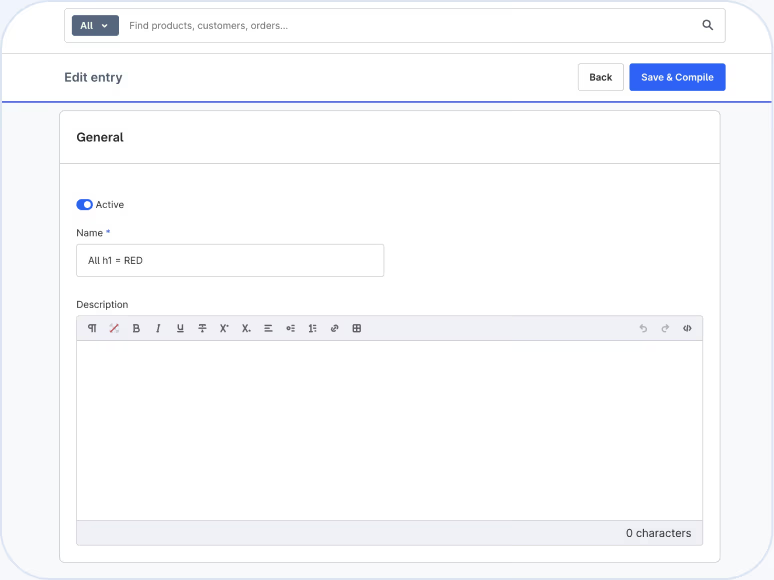
Activate the plugin and open it in the admin.
02
Choose a mode
Global or per sales channel.
03
Add your code
Add CSS and/or JavaScript and save.
After saving, your CSS runs as a bundled, minified file. JavaScript is loaded afterwards, without disturbing the Shopware structure — no conflicts with the theme.
Benefits
What stores use this plugin for.

UI polish
Spacing, colors, buttons, badge styles.

Promos & campaigns
Banners, countdowns, promo bars per channel.

Tracking & consent
Channel-specific ads/analytics/A-B tools.

Regional differences
Custom CSS for DE/AT/CH stores.
Hotfixes
Live CSS fixes, without a theme deploy.
Examples
Example ideas
Promo bar in a single channel
/* Holiday promo: header bar */
.promo-bar {
display: flex;
gap: .5rem;
border-radius: .5rem;
}
Quick UI fix
/* Fix button spacing */
.btn.btn-primary {
margin-top: .5rem;
}
For your whole team
Benefits for teams
Marketing/SEO
Ship campaign snippets and markup independently — no release cycle.
Developers
No overhead commits for small things, no theme-fork baggage.
Ops/owner
Low-risk, reversible, traceable — changes stay localized per channel.
Performance & security
Build pipeline
Automatic bundling/minification reduces requests.
Isolated integration
No core changes, no shadow code in the theme.
Clean separation
Separate assets per channel — ideal for A/B tests or regional setups.
FAQ
Frequently asked questions
Can I mix global and channel-specific code?

Yes. Set global CSS/JS and override it per sales channel where needed.
Does this affect my theme?
No. No theme forks — your theme stays unchanged and update-safe.
Is this suitable for tracking snippets?
Yes. Different tags/scripts per channel, e.g. DE ≠ CH.
How fast does a change go live?
After saving, the assets are automatically compiled and included.
Which Shopware version is it for?
Shopware 6.7 and above, using only native features.
Add your own CSS & JS exactly where it's needed.
Per sales channel, automatically compiled, no theme forks and no hacks. Install now and go live in minutes.
Custom CSS/JS per Channel: Your Own Styling for Shopware 6, No Theme Fork
Custom CSS/JS per channel lets you add your own CSS and JavaScript directly in the Shopware 6 Administration — globally or scoped to a specific sales channel. No theme fork, no core changes, automatically compiled and safely included.
Typical use cases
Whether it's a quick UI fix or a seasonal campaign, this plugin covers the cases where a full theme release would simply be too slow.
- 1.UI polish: spacing, colors, button and badge styles with no deployment needed.
- 2.Promo banners & countdowns per sales channel, e.g. for regional campaigns.
- 3.Tracking and consent snippets that differ between DE, AT and CH storefronts.
- 4.Hotfixes that go live instantly, without triggering a theme build.
Why custom CSS/JS instead of a theme fork?
A theme fork ties up development capacity and makes future Shopware updates harder. Custom CSS/JS per channel keeps changes cleanly isolated from your main theme: marketing and SEO teams can work independently, while developers are freed from unnecessary deployment overhead.
Safe for performance and maintainability
Your code is automatically bundled and minified, reducing requests, and stays fully separate from the Shopware core — update-safe even across future Shopware 6 releases.